
Private Callr - Secure & Anony
Caller ID Faker LLCCommunication
3.1172.00 Reviews
- Version
- 2.2.2
- Installs
- 50.00K
- Age Rating
- Everyone
Screenshots
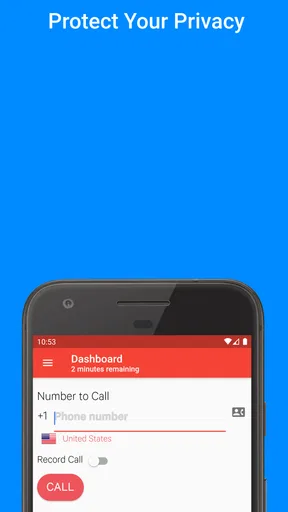
Our Review of Private Callr - Secure & Anony
 Analysis by Appyee
Private Callr - Secure & Anony is the kind of communication app I would look at when I want to separate my everyday phone identity from a call. Its purpose is straightforward: it offers a private phone number for privacy-minded calling and for reducing exposure to unwanted robocalls. In my experience, that makes it more useful as a boundary between parts of your life than as a complete replacement for your normal phone service.
That distinction matters. A private number can be handy for marketplace conversations, temporary projects, sign-ups that require a phone contact, or situations where I would rather not hand out my personal number. It can also make an unfamiliar caller less intrusive because the number I share is not the one connected to everything else in my life. Still, I would not treat it as a magic shield against every nuisance call. The quality of the experience depends heavily on how carefully I set it up and how I use the number afterward.
Where the experience usually gets stuck
The first source of friction is expectation. Someone installing this app may assume that choosing a private number automatically makes every call anonymous or blocks every robocall. I would approach it more narrowly: the app gives me a separate calling identity, while privacy also depends on what I disclose during conversations and where I publish that number. If I use the private number on public listings, it can still attract unwanted attention.
The app is free to install, which lowers the barrier to trying it. However, in-app purchases range from around one dollar to around sixty dollars per item, so I would check the purchase screen carefully before committing to anything. The free entry point is useful for testing whether the service fits my routine, but it should not be confused with unlimited access to every possible option.
Another common sticking point is deciding which number should be used for which purpose. I get the best value when I give the private number a clear job instead of using it everywhere. For example, I might use it for a furniture sale that should last a week, while keeping my regular number for family, banking, healthcare, and accounts where continuity is important. That simple separation makes it easier to stop using the private number later without disrupting important contacts.
There is also a social limitation. A recipient may not recognize the number, may ignore it, or may be cautious about returning the call. That is not necessarily a fault in the app; it is the natural trade-off of using a number that is less familiar. For time-sensitive conversations, I would introduce myself clearly in the first message or call rather than expecting the other person to identify me automatically.
The app comes from Caller ID Faker LLC and sits in the communication category rather than functioning like a full contacts, messaging, or security suite. I would therefore judge it by how well it helps me control which number I share, not by expecting advanced call-management tools that belong to a different type of app.
What I check before relying on it
Before using the number for anything important, I would make a short test call to someone I trust. I would confirm that the call connects, that the recipient sees the intended caller identity, and that the audio is understandable in both directions. This small test is more useful than assuming the setup is complete just because the app opens normally.
I would also make sure the phone itself has a stable internet connection and that the app is running on a supported system. The minimum operating system is Android 7.0, so older devices should be checked before installation. On a compatible phone, I would still avoid testing for the first time in a place with weak reception or unreliable Wi-Fi, because connection problems can look like account or number problems.
My next check would be the destination number. If a call fails, I would try a second trusted contact rather than repeatedly dialing the same person. That helps separate a problem with the recipient’s line from a problem with the app. I would also verify the number format and make sure I have not copied an extra space, punctuation mark, or wrong country prefix.
For privacy, I would prepare a simple rule before making calls: the private number is for the conversation, not for revealing more personal information. A separate number cannot prevent someone from learning details I volunteer. I would avoid giving out my home address, workplace schedule, account codes, or other sensitive information simply because the caller ID is different.
The app has an Everyone content rating, which makes it approachable for a broad audience, but that does not remove the need for sensible communication habits. I would not use a private number to mislead, impersonate someone, or pressure another person. The useful privacy benefit is separation and control, not permission to ignore ordinary boundaries.
One practical setup tip is to record the purpose of the number somewhere private. I might note that it was created for a sale, a short-term service inquiry, or a volunteer activity. That sounds minor, but it prevents a common mistake: forgetting which contacts have the number and then continuing to use it long after the original reason has disappeared.
Recovering a workflow when a call does not go through
When a call fails, I would resist changing several things at once. First I would close and reopen the app, then check the connection and try the trusted test contact again. If that does not help, I would restart the phone and repeat the test. These are basic steps, but they quickly remove temporary connection or app-state issues without risking unnecessary changes to my setup.
If the problem affects only one recipient, I would ask that person to check their own phone, signal, and call settings. A busy network, an unavailable device, or a blocked unfamiliar number can create the impression that the private number is broken. Testing with another contact is the fastest way to narrow that down.
If the problem affects every call, I would review the number and account state shown inside the app before considering a purchase. I would not pay simply because a call failed once. A purchase may be relevant to the way I want to use the service, but it is not a substitute for identifying whether the issue is connectivity, recipient-side filtering, or a setup mistake.
I would also keep the app updated when an update is available through the normal app distribution channel. The current version is 2.2.2, and knowing the installed version is useful when seeking help or comparing behavior after an update. I would write down the exact symptom, such as calls failing immediately or only one contact being unreachable, rather than reporting only that “it does not work.” Clear symptoms lead to more useful troubleshooting.
A second recovery technique is to simplify the workflow. Instead of switching rapidly between the regular dialer, contacts, and the private number, I would start the call from the app and keep the conversation details in one place. This reduces the chance of accidentally calling from my personal number, which is one of the most important practical mistakes this type of app is meant to help me avoid.
For a temporary use case, I would create a stopping point before I begin. If I am using the number for a classified listing, I might decide that once the item is sold, I will stop sharing it and remove it from saved notes. The benefit is not only privacy; it also keeps my communication list manageable and prevents an old number from becoming a permanent source of follow-up calls.
When the app is not the cause
Some disappointing results come from the wider phone environment rather than Private Callr itself. A recipient may have aggressive spam filtering, silence unknown callers, or a carrier rule that treats unfamiliar numbers cautiously. In those cases, the private number may be working exactly as intended while the call is being screened before the recipient sees it.
Robocall reduction also has limits. A separate number can protect my main number from being exposed, but it cannot guarantee that unwanted calls will never reach the private one. If I publish that number widely, reuse it for many unrelated services, or share it with unknown contacts, it can gradually become another target. I would treat it as a disposable layer of separation, not as a permanent fortress.
This is where the app differs from a traditional carrier number. My regular number is usually better for long-term identity, account recovery, known contacts, and dependable continuity. A carrier’s built-in spam controls may also be more convenient for someone who wants filtering without managing a second calling identity. On the other hand, the separate-number approach is more flexible when my main concern is deciding who gets access to my real number in the first place.
It also differs from encrypted messaging apps. Those services may be preferable when both people already use the same platform and want text, voice, or media in one private conversation. Private Callr makes more sense when I need to reach an ordinary phone number without asking the other person to install the same service. That convenience comes with less control than a closed messaging platform, so the choice depends on whether reachability or private in-app communication matters more.
I would skip this app if I need an official business line with dependable long-term ownership, detailed administrative controls, or a number that customers will recognize for years. I would also skip it if I only want to block spam on my existing number and do not want to manage a separate identity. In that situation, the phone’s own call controls or a carrier-based solution may be simpler.
On the other hand, I think it is a reasonable fit for a person who occasionally needs distance from their personal number. A student arranging a second-hand sale, a renter contacting several listings, or someone coordinating a short project could benefit from keeping those conversations away from their main identity. The important trade-off is that convenience comes from separation, while reliability for critical communication still belongs with a primary phone service.
How I would use it day to day
My preferred routine would be deliberately modest. I would install the app, complete a test call, choose one limited purpose for the private number, and tell the recipient who I am. I would avoid putting the number on public profiles unless I was comfortable with it receiving calls from people I do not know. After the task ended, I would stop distributing it and review any saved contacts connected to that activity.
If a caller I do not recognize reaches the private number, I would not assume the app has failed. I would let my own judgment decide whether to answer, return the call, or ignore it. Privacy is strongest when the app’s separation is combined with cautious sharing. The number gives me a buffer, but I still control the information and attention I provide.
I would keep the regular number for services that could lock me out of an account or need reliable verification. Using a temporary or secondary number for those purposes can create trouble later if I lose access to it or forget which number was attached. This is one of the clearest boundaries I would set: use the private number for conversations where separation is valuable, not for the core identity of my digital life.
The app has passed fifty thousand installs and holds an average rating of 3.1 from around three hundred ratings, with roughly one hundred and seventy reviews. I read that as a sign to keep expectations realistic. There is enough adoption to make the idea familiar, but the middling score suggests that the experience may vary and that setup, calling conditions, and individual expectations matter. I would test it personally before making it part of an important routine.
Its release date was April 8, 2020, so I would pay attention to how it behaves on my particular phone rather than assuming that an older device or a heavily customized Android installation will behave exactly like another user’s. The current version is 2.2.2, and the practical lesson is simple: record what version I am using when troubleshooting and keep the environment consistent during testing.
My practical verdict
I see Private Callr - Secure & Anony as a focused privacy tool for separating a call from my everyday phone identity. I like the concept because it solves a real, ordinary problem: sometimes I need to be reachable without giving a stranger or short-term contact my main number. The app is free to begin with, and its communication-focused design makes the intended use easy to understand.
My recommendation comes with boundaries. I would not rely on it for emergency communication, important account recovery, or a permanent professional identity. I would test calls before making plans, expect some recipients or networks to treat unfamiliar numbers cautiously, and remember that a private number can still attract unwanted calls if I share it carelessly.
The best reason to use it is controlled separation, not total anonymity. If that matches what I need, I would give it a careful trial and keep the first use low-risk. If I want a dependable primary number, carrier-level spam filtering, or a private conversation platform that both participants control, I would choose a different option instead.
For the right situation, this app can be a useful buffer between me and the people or services that only need temporary access. Its value is highest when I plan the number’s purpose, verify the first call, and know when to stop using it. That practical discipline does more for the experience than simply installing the app and expecting it to solve every calling problem automatically.
Verdict
Strengths of Private Callr - Secure & Anony
- Hides your personal number when making calls
- Useful for separating private and business communications
- Simple interface with quick access to calling tools
- Can help reduce unwanted callbacks to your main number
- Adds an extra privacy layer for sensitive conversations
Limitations of Private Callr - Secure & Anony
- Anonymity may not work with every carrier or destination
- Some features may require a subscription or paid credits
- Recipients may ignore calls from hidden or unfamiliar numbers
- Call quality depends heavily on your internet or mobile connection
- Privacy claims should be checked against the app’s data policy
Similar Picks in This Category
View All
Google Messages
Google LLC4.6

Gmail
Google LLC4.1

Google Meet
Google LLC4.4

Google Chrome
Google LLC4.1

WhatsApp Messenger
WhatsApp LLC4.6

Carrier Services
Google LLC4.2
Frequently Asked Questions
What is Private Callr - Secure & Anony used for?
Private Callr - Secure & Anony is designed for users who want to make calls while keeping their personal phone number less exposed. It may provide a separate calling identity, privacy-focused communication tools, and options for managing calls without immediately sharing your main number. Before downloading, check the current feature list, supported countries, and whether the app requires an account or subscription for calling services.
Does Private Callr - Secure & Anony make calls completely anonymous?
The app’s privacy features can help reduce the need to reveal your regular phone number, but “anonymous” does not mean untraceable. Calls may still be associated with your account, device, internet connection, payment details, or service records. I recommend reviewing the developer’s privacy policy carefully and avoiding the app for illegal, abusive, or deceptive activity. Privacy protection is not the same as total anonymity.
Is Private Callr - Secure & Anony free to download and use?
The application may be available to download without an upfront charge, but some services can require credits, paid minutes, a subscription, or in-app purchases. Costs may also differ depending on the destination, call duration, phone number options, and local regulations. Before placing calls, open the pricing section and confirm renewal terms, trial conditions, expiration dates, and refund policies so there are no unexpected charges.
What permissions and personal information does the app require?
A calling application may request access to the microphone, contacts, notifications, and sometimes phone-related features so it can place calls and display incoming activity. Private Callr - Secure & Anony may also collect account, device, usage, or payment information depending on how its services operate. Grant only permissions that are necessary, review the privacy disclosures, and avoid uploading contacts unless you are comfortable with the stated data practices.
Will Private Callr - Secure & Anony work on every phone and in every country?
Compatibility and availability can vary by operating system version, device model, network quality, and location. Some calling or virtual-number features may be restricted in particular countries because of telecommunications rules, while certain destinations may not be supported at all. Check the app-store listing for current Android or iOS requirements, verify regional availability, and test the service over a reliable connection before depending on it for important calls.
